
Using a Premium Service, as well as any other, is very simple: Login to your account > Click on Premium Sessions > Click here to explore more> choose the service you want.
Or follow the instructions below:
1 - Click on Premium Sessions
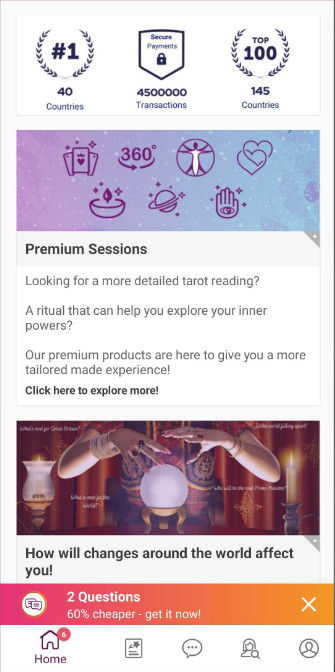
2- Select a Premium Service - For example, 360 reading
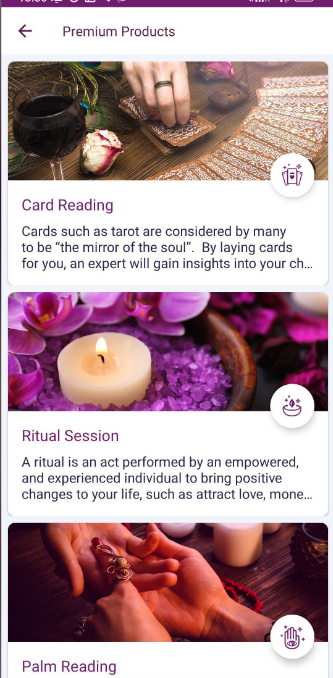
3- Then click on "Book Now".

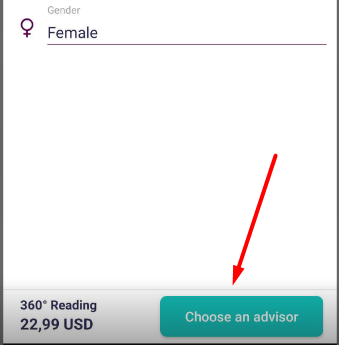
4 - Provide the required information and click on "Choose an Advisor”
5 - At this stage you can view the advisors that are online and available to provide the service
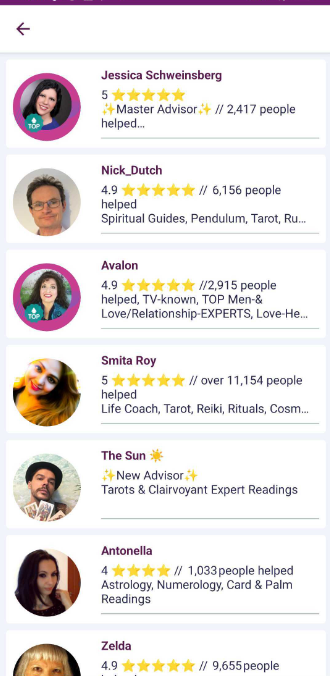
Enjoy your reading!
If you need any assistance, we are here to help. Do not hesitate to contact us!
Fortunica Team
Comments
0 comments
Please sign in to leave a comment.